Know the person behind the gift.
Keep giving, membership, and ticket history on the same profile. See the different ways someone takes part before you reach out.
People & householdsShared history
 raising artby

FREE CRM FOR ARTS ORGANIZATIONS
Donors. Members. Ticket buyers. One place to understand the people who support your work—and keep those relationships growing.
Free CRM by Mezaj.
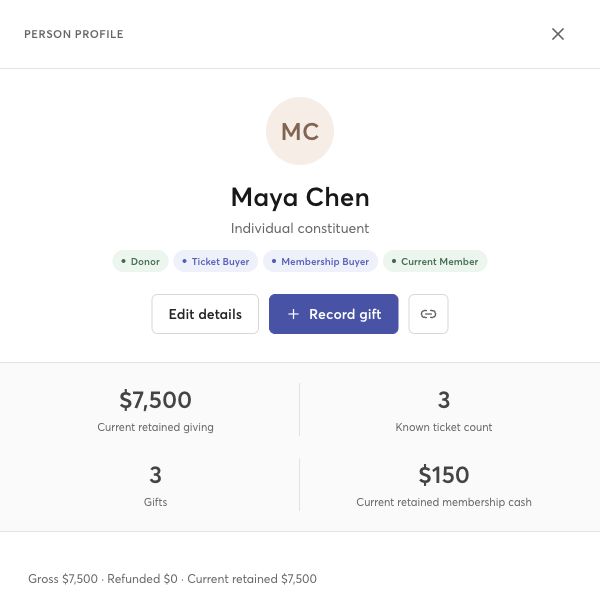
Every way they show up. One shared history.
TAKE A LOOK INSIDE
Raising Art connects with Viewcy ticketing and memberships, bringing the people behind every purchase and contribution into one CRM. Review connected records before saving them to your community’s history.
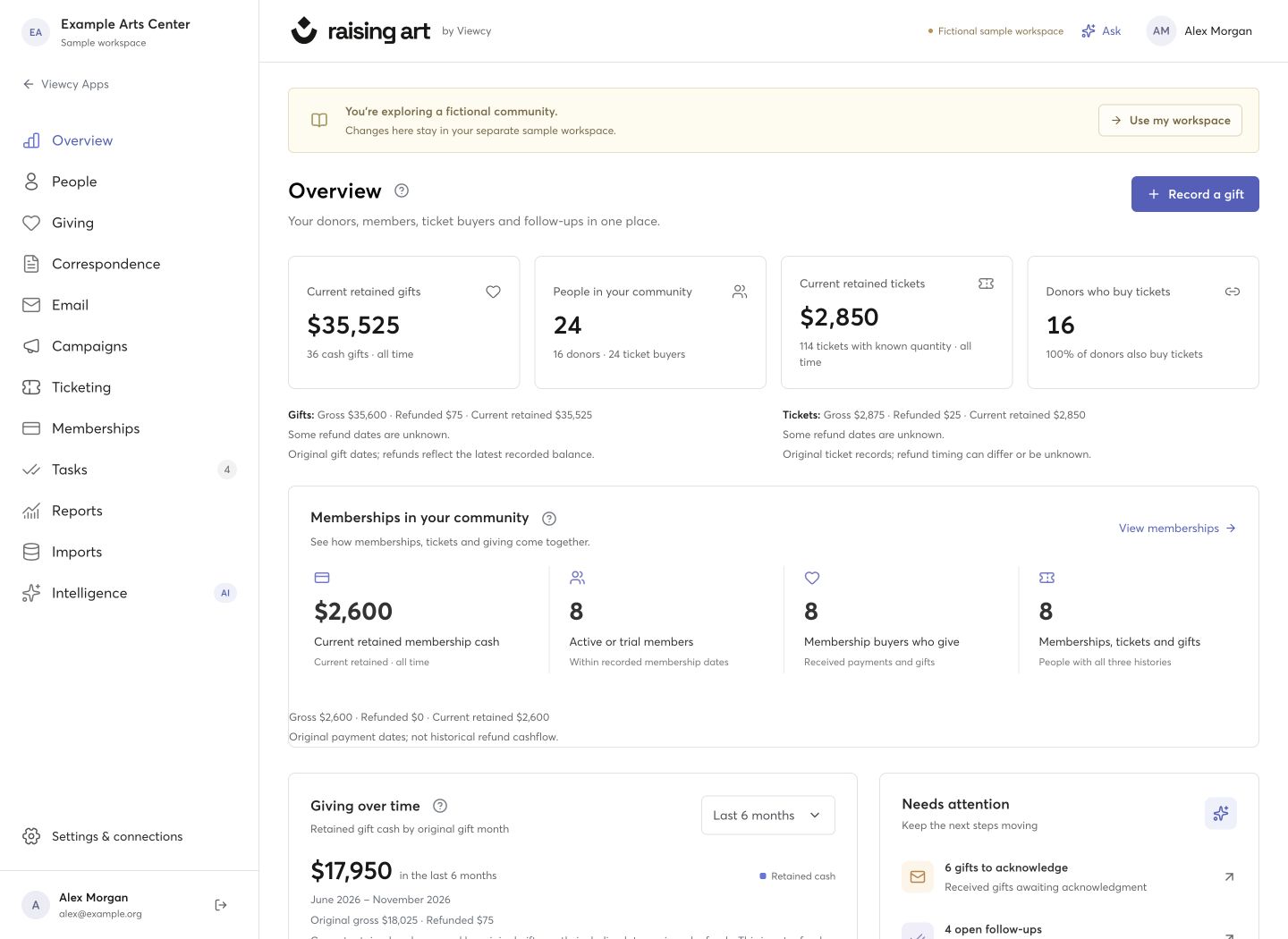
A shared view of your community, with giving, ticketing, and membership records side by side.
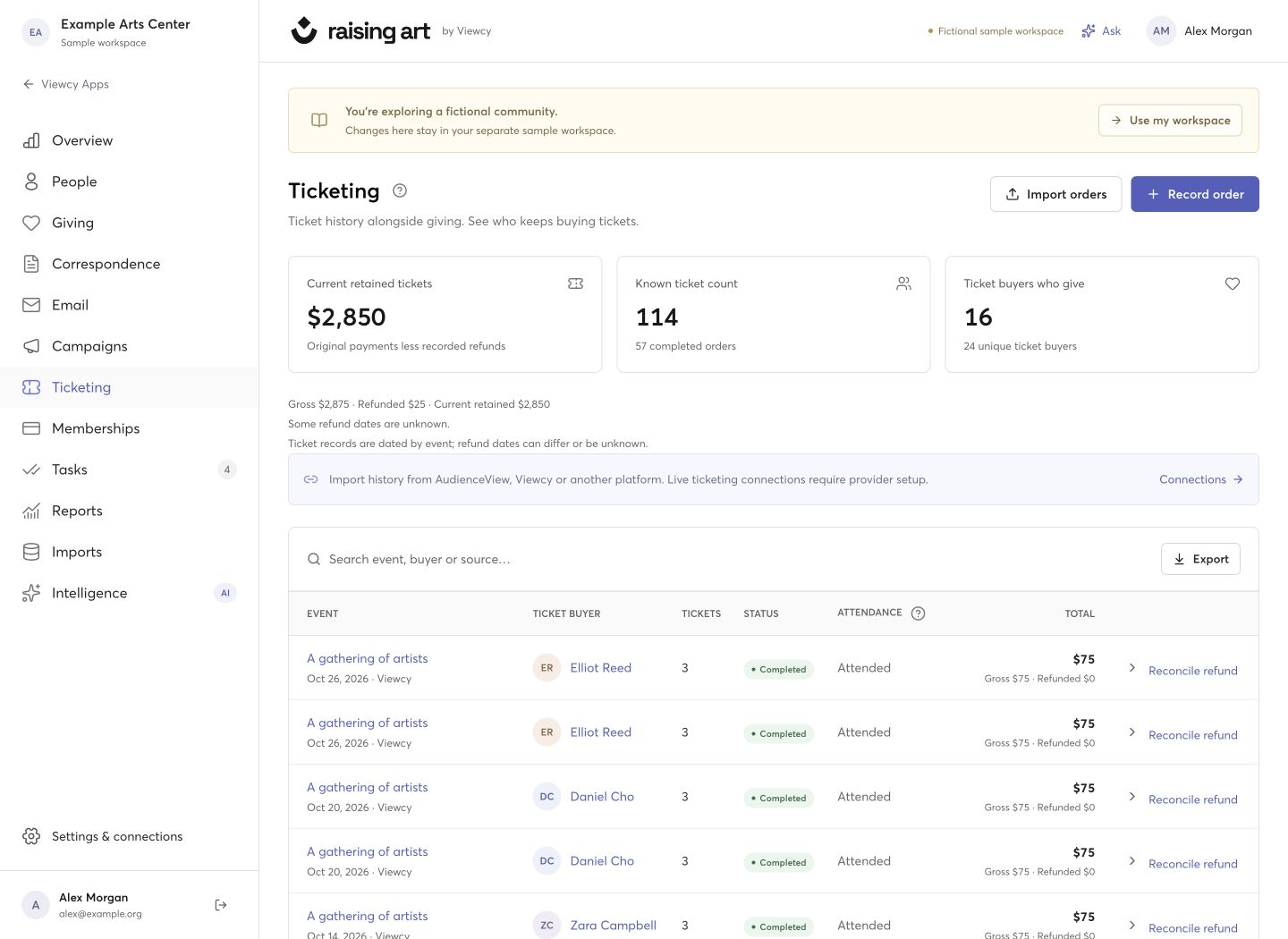
See who comes to your events—and which ticket buyers also support your work through giving.
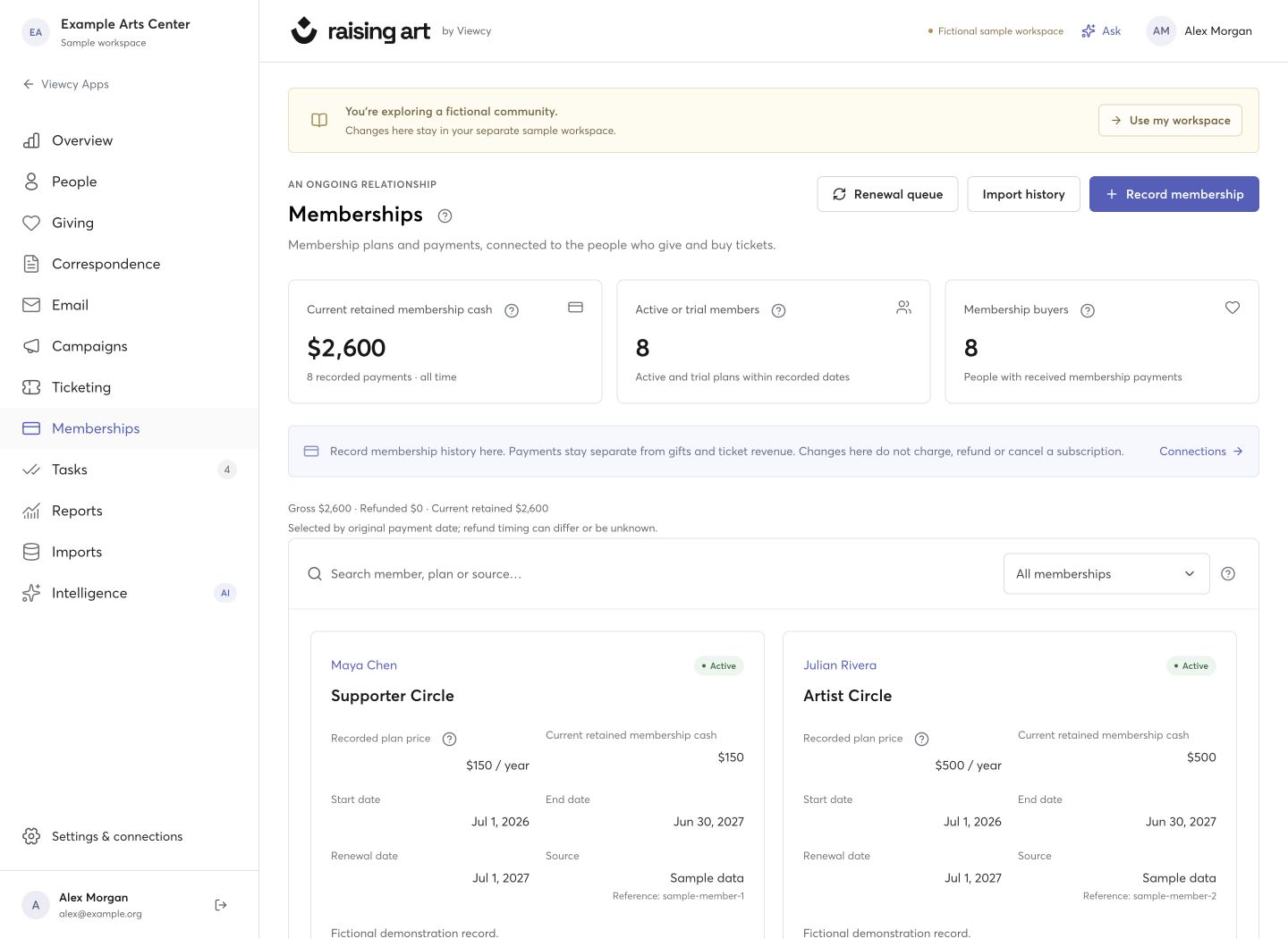
Keep membership plans, dates, and recorded payments alongside each person’s tickets and gifts.
PEOPLE FIRST. ALWAYS.
You bring people together through art. Raising Art helps you remember their story and decide what comes next.
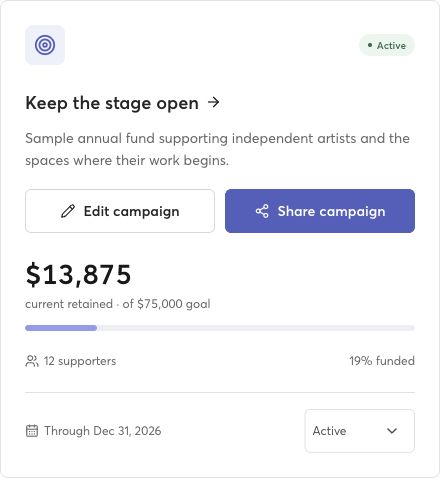
GIVE YOUR NEXT IDEA A FOLLOWING
Create a campaign, set a goal, and give supporters a place to contribute. Share a giving-page link or embed the form on your own website.
Giving pages use Viewcy’s payment connection when giving is enabled for your account. Your campaign and its recorded gifts stay connected in the CRM.
How giving pages workBRING YOUR HISTORY WITH YOU
Bring CSV exports from your existing tools—including Little Green Light and AudienceView—into a guided import.
Start with people, then add gifts, ticket orders, and membership records.
Check where each column belongs and review possible duplicates or conflicts.
Review the preview before saving. Keep source history so you know where records came from.
A LITTLE EXTRA HELP, WHEN YOU WANT IT
Use the CRM, reports, and built-in help with external AI turned off. If your organization chooses to enable AI, an administrator reviews the data-sharing settings first.
Understand your choicesExternal AI is off by default.
GOOD QUESTIONS
Open Raising Art from Apps in your Viewcy account. Choose the account you administer and follow the setup steps to connect an existing CRM workspace or start an empty one. Your current Viewcy account administrators can access its connected workspace.
Yes. Smart import accepts CSV files and lets you review column mapping, duplicates, and conflicts before importing. Start with people, then bring their related records. AudienceView and Little Green Light exports can be imported this way; this does not create a live connection to those platforms.
Connect Viewcy to review and import supported ticket orders, gifts, and membership payments. Each person’s profile brings those histories together. You can also import membership plans and dates from CSV files. Imports are reviewed before saving; membership status and renewal dates depend on the records you maintain, rather than an automatic subscription sync.
Giving pages can offer a shareable link and an embeddable donation form through Viewcy. Your Viewcy account needs giving enabled and a working payment connection. You can still use campaigns to organize and report on recorded gifts before online giving is ready.
Check the campaign’s sharing and giving-page status before sending its link to supporters. Bring received gifts into the CRM through the reviewed Viewcy import.
No. The CRM, reporting, and built-in help work without an external AI provider. External AI starts off for each organization. An administrator must enable it and approve data sharing before the assistant can send permitted information to the provider.
Enabling AI can share your question and selected CRM information. Review the explanation in the app before choosing to turn it on.
A home for the people who help make it happen.
Open Raising Art